When choosing to work with ARM microcontrollers, we face the choice of a chip manufacturer. That’s because ARM is a company that “only” designs microprocessor cores and sells licenses for them. Quite an interesting setup, isn’t it? Today, their cores can be found in all the devices we use every day, such as smartphones we can’t live without. Many families
of ARM cores have been created. At the moment, two matter: Cortex-A and Cortex-M. “A” means processors for application use (running operating systems). They’re used in the aforementioned smartphones as well as in microcomputers like the Raspberry Pi. What interests us, however, is the Cortex-M family intended for microcontrollers. Within this family we have several types of cores that differ, among other things, in performance. For us, these are the cores:
- M0 – the cheapest cores with low performance.
- M0+ – an improved version of the M0 core with reduced power consumption.
- M3 – the first Cortex-M core historically. Medium performance.
- M4 – a powerful core with an additional floating-point unit (FPU) and DSP instructions.
- M7 – the newest and most powerful Cortex-M core. A real beast.
There’s plenty to choose from, but a core alone won’t get us far. We need that core wrapped with memory and external interfaces. Packaging the core with these components and putting it all into a single package to create the final microcontroller is done by companies specializing in integrated circuits. These include Atmel, Cypress, Freescale, NXP, and of course ST. Since there are so many manufacturers, then…
Why ST?
- Free tools for writing code, compiling it, and flashing the MCU. ST makes sure the most important things are widely available and free. As for the IDE, I recommend SW4STM32. It’s the popular Eclipse modified for ST’s needs.
- Dedicated tools from ST. This includes, among others, the STM32CubeMX project skeleton generator. A great tool that speeds up the initial work with a microcontroller.
- Free libraries for handling STM32HAL devices. They’re not perfect and can be bloated, but they are great for rapid development. They let you get started quickly without diving into thousands of pages of documentation. Of course, you won’t avoid it! Unfortunately, convenience often comes at the cost of performance, but it’s acceptable.
- Free STM32LL libraries. Low-layer libraries (Low Layer) for handling peripherals. Their main principle is – one function changes only one register. Here you won’t manage without knowing the processor, but the optimization is top-notch.
- Most STM32 pins are 5V tolerant. What does this mean? You don’t have to worry about level shifting when communicating with chips that operate at 5V. You need to check whether the external chip accepts the high logic level driven by the STM32. Most often this will be 3.3V. If it does (and usually it does), then goodbye level shifters.
- Rich size and resource portfolio. You can find chips in almost any package. The most popular are TQFP 32, 48, 64, 100, 144 pins. There are even BGAs. Everyone will find something for themselves.
- Pin compatibility within the same package in most cases (I painfully experienced one exception). If during development you run out of resources, it’s not a big problem to drop in a more powerful microcontroller in the same footprint.
- A huge number of prototyping kits. I love these kits!
- A free programmer included with every prototyping board!
STM32 microcontroller families
Across ST’s MCU lineup we have several families, grouped by their capabilities. The graphic below nicely shows all models together with their performance and place in the lineup.
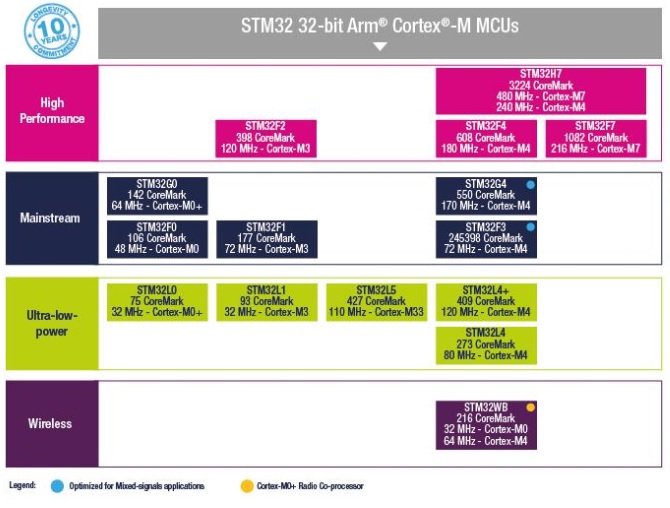
- Mainstream – general-purpose microcontrollers. The most common choice for “ordinary” applications
- F0 – an alternative to 8- and 16-bit MCUs based on an M0 core.
- G0 – one of the newer MCU generations with an M0+ core. Intended for low-cost applications
- F1 – the first STM32 family based on the M3 core. High performance and an uncomplicated architecture.
- F3 – a rich offering of analog peripherals. Intended for real-time and industrial applications.
- G4 – another newcomer. High performance combined with a broad range of analog functions.
- High Performance – the most powerful STM32s used for computation and high data throughput. Very high core clock rates.
- F2 – a performant M3 core with a graphics accelerator. Flash up to 1 Mb; they can have, e.g., Ethernet.
- F4 – further divided into three levels of “advancement”. They have an M4 core with a floating-point unit. They can include LCD controllers with a graphics accelerator or MIPI support.
- F7 – the latest M7 core. Peripherals similar to the M4. The most powerful single-core STM32s.
- H7 – Dual-core STM32 (M7 as the main core + a slower M4).
- Ultra Low Power – a series focused on the lowest possible power consumption. Lots of additional features that allow sleeping and reducing energy usage.
- L0 – the smallest in the series, starting from 14-pin.
- L1 – the counterpart of the F1 in a low-power version.
- L4 – efficient and performant. They include an FPU.
- L4+ – an extension of L4. Larger memories and graphics acceleration.
- L5 – the newest series containing special features for security and encryption. Graphics accelerator.
- Wireless – microcontrollers with built-in wireless support, e.g., Bluetooth 5, 2.4 GHz RF. They are built with two cores – M4 and M0+
For a more extensive description of each series, visit the manufacturer’s site: https://www.st.com/en/microcontrollers-microprocessors/stm32-32-bit-arm-cortex-mcus.html
We can choose from development boards labeled as:
-
- Discovery – feature-rich boards – often with high-performance MCUs – with several external components. Components used include accelerometers, gyroscopes, microphones, displays, etc. I rarely use them because I don’t always need these components, and they can get in the way.
-
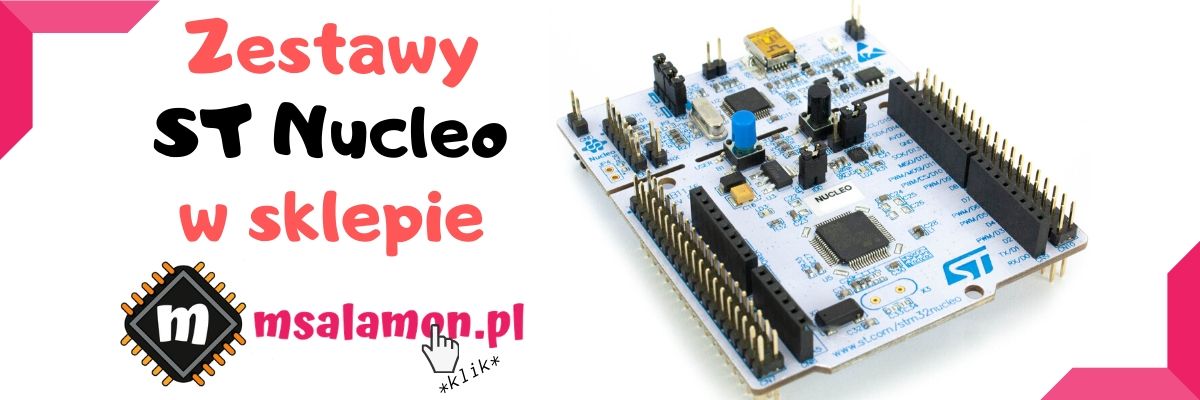
- Nucleo – minimalist boards somewhat reminiscent of Arduino. They generally only have the MCU together with the components required for correct operation, plus a single LED and a button. All microcontroller pins are broken out to pin headers. This is my favorite choice. Nucleo, in turn, comes in three sizes:
- Nucleo-32 – about the size of an Arduino mini and the connectors are compatible with it. Small, 32-pin MCUs. Ideal to plug permanently into a small project.
- Nucleo-64 – probably the most popular type. 64-pin MCU. In addition to pin headers with all signals, it has an Arduino Uno–compatible connector.
- Nucleo-144 – the largest of the bunch. It carries a hefty block with as many as 144 pins, and all of that is broken out to pin headers! Next to it there’s also an Arduino Uno connector. USB OTG is available, and here ST even decided to add an Ethernet connector in some versions.
- Nucleo – minimalist boards somewhat reminiscent of Arduino. They generally only have the MCU together with the components required for correct operation, plus a single LED and a button. All microcontroller pins are broken out to pin headers. This is my favorite choice. Nucleo, in turn, comes in three sizes:
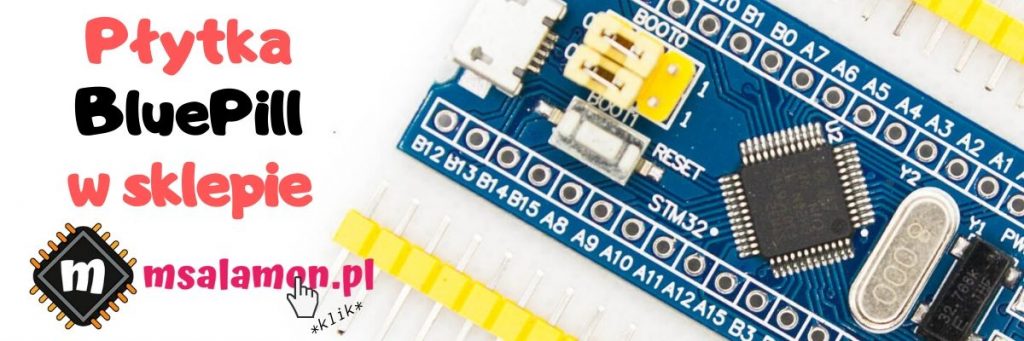
Besides ST’s original boards, there are many others available on the market, mostly from the Far East. Very popular is the board with an STM32F103C8T6 in an Arduino mini form factor. It costs only a dozen or so zlotys!
Hello, hello! But what about the programmer?!
It’s there! Every development board comes with an ST-LinkV2 on board. I’ll talk about what this chip can do another time, because it’s not only for programming the MCU. We communicate with ST-Link via mini-USB. In the kits you’ll find it:
- Discovery – Mixed in with the other components on the PCB
- Nucleo-32 – On the underside of the PCB, also mixed in with the components.
- Nucleo-64 – The top part of the PCB. Here – note – it’s breakable. After the final programming, when it’s no longer needed, you can snap it off from the Nucleo and use it separately! The remaining part of the Nucleo can be placed, for example, in the device you’re designing. Awesome, isn’t it?
- Nucleo-144 – Identical to Nucleo-64.
Admit that everything I wrote above sounds convincing. They convinced me!
My ST collection
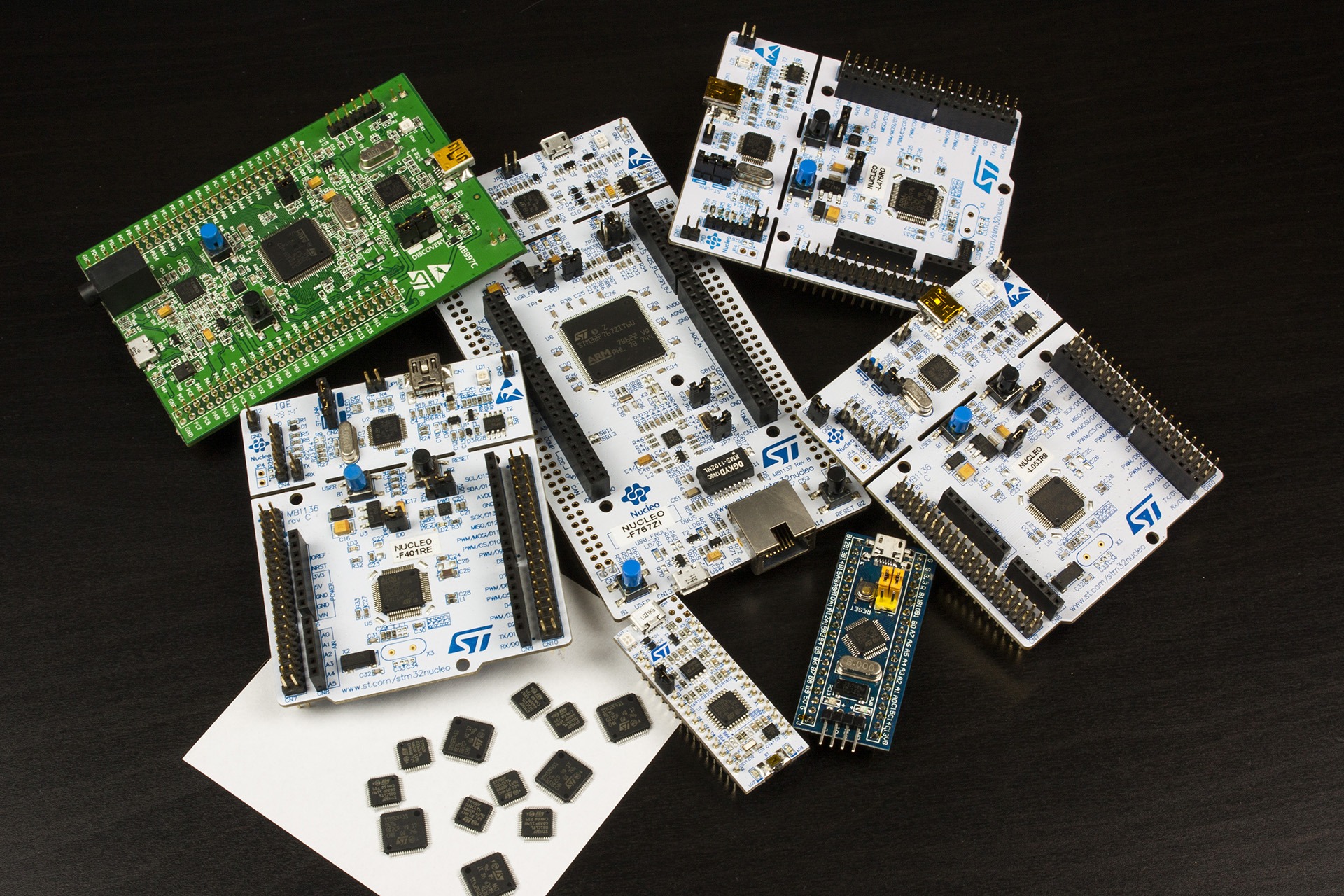
In my drawer I have several boards I work with, and they will be the basis for posts about STM32.
- Nucleo-32 with STM32L031K6T6
- Nucleo-64 with STM32L053R8T6
- Nucleo-64 with STM32F401RET6
- Nucleo-64 with STM32L476RGT6U
- Nucleo-144 with STM32F767ZIT6
- Discovery with STM32F407VGT6
- Chinese minimal dev kit with STM32F103C8T6
- Several various loose MCUs
I deliberately didn’t write about the downsides of ST’s solutions. I encourage a courteous discussion in the comments. I’d love to hear your opinion about ST microcontrollers, including the drawbacks you see. Remember to write in correct Polish, not attack other participants, and not to swear.
Podobne artykuły



0 Comments